Two ready-to-install packages, each built separately for every supported OpenCart version: a One Page Checkout module and the Supreme multi-vendor marketplace theme.
Replaces OpenCart's multi-step checkout with a single page: the customer logs in or checks out as a guest, enters addresses, picks shipping and payment, reviews the cart and places the order without a page reload.
◉What the customer sees
Login, guest and register on one page
Billing and delivery address, with address book for logged-in users
Live shipping and payment methods
Editable cart, coupon, gift voucher, reward points
Order comment, newsletter and terms checkbox
Place order stays disabled until terms are accepted
☰What the admin controls
General: enable, replace default checkout, heading, layout, button text
Account: login box, guest, registration, default customer group
Form fields: show / required for every field
Shipping and payment defaults, auto-select
Cart extras and a Design tab for accent colour
Custom CSS and JS
iGood to know
Standard checkout stays reachable with &classic=1 on the checkout URL
4.1 has no gift-voucher box because 4.1 core removed it
Custom fields from Localisation are not rendered
Uninstall removes settings and the redirect event
Desktop layoutMobile layout
Theme
Supreme Theme, flat marketplace
A marketplace-style storefront theme with 10 industry presets, a mega menu builder and optional demo catalogue. "Multi-vendor" is a look and demo data: OpenCart brands act as vendor stores. Real vendor accounts and payouts need a separate marketplace module.
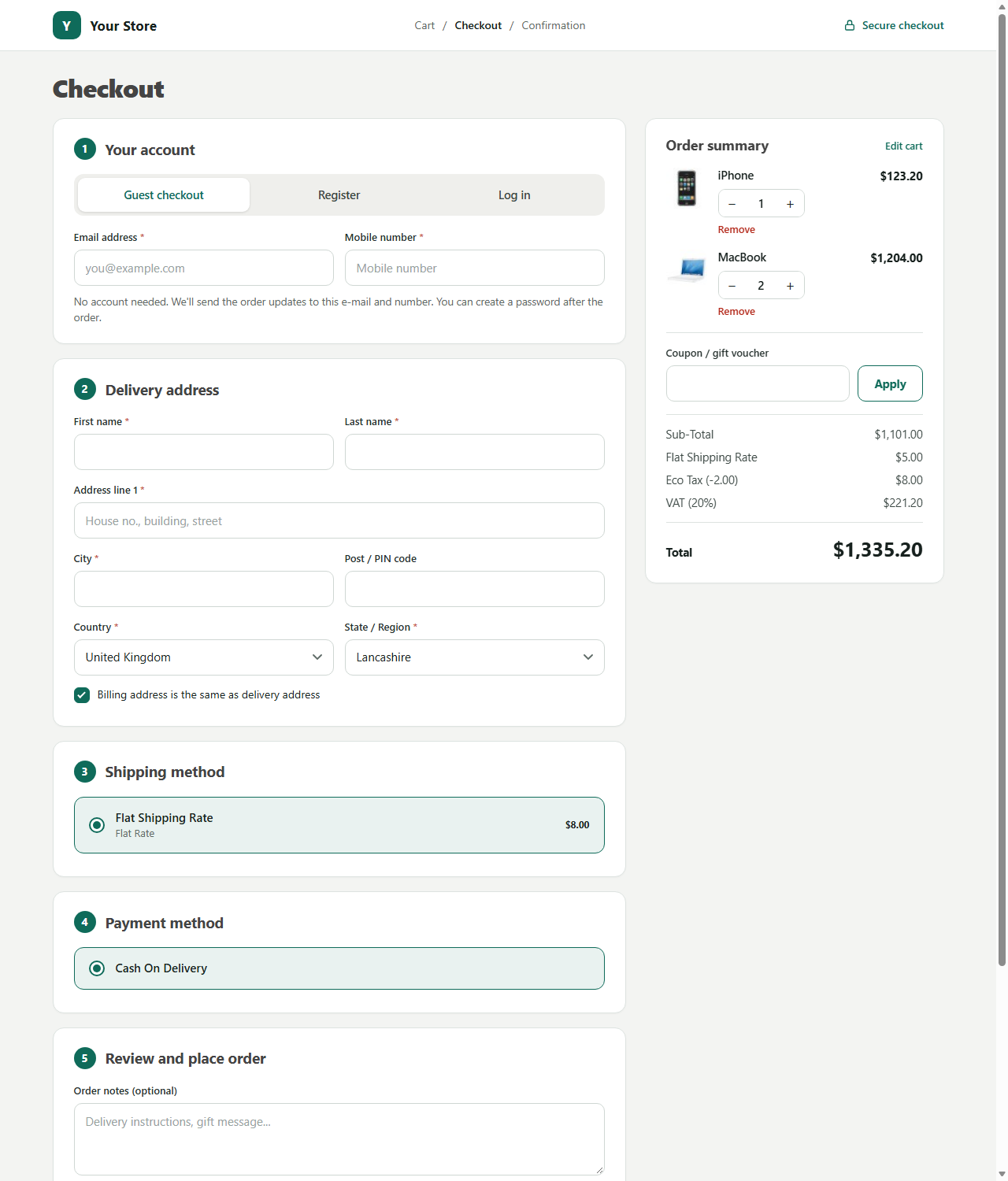 Desktop layout
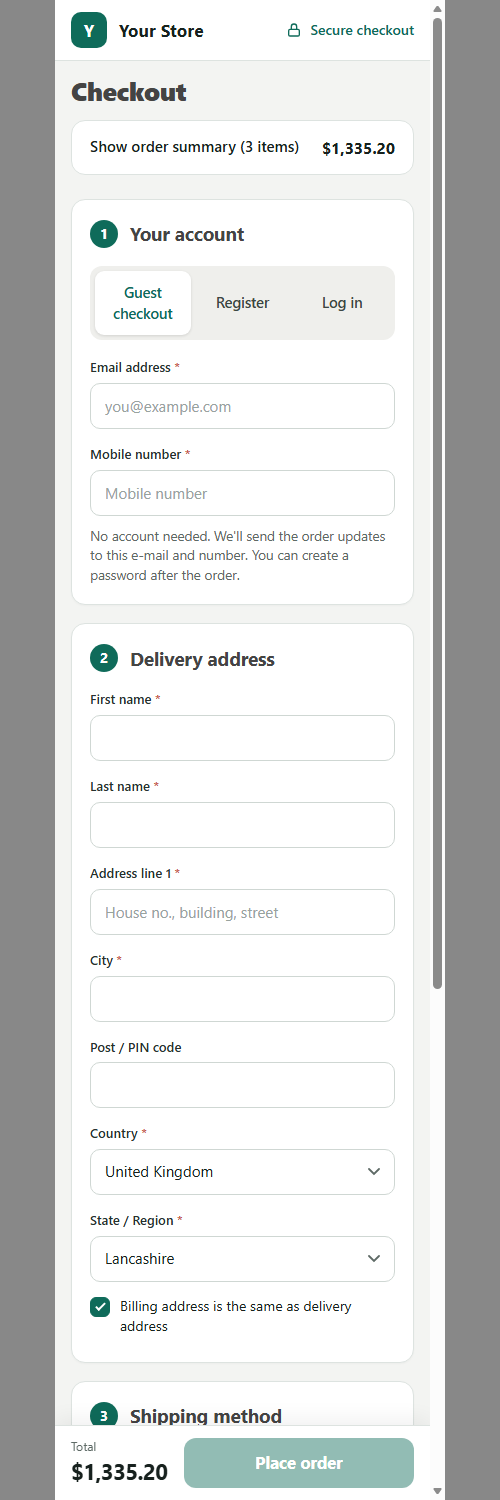 Mobile layout
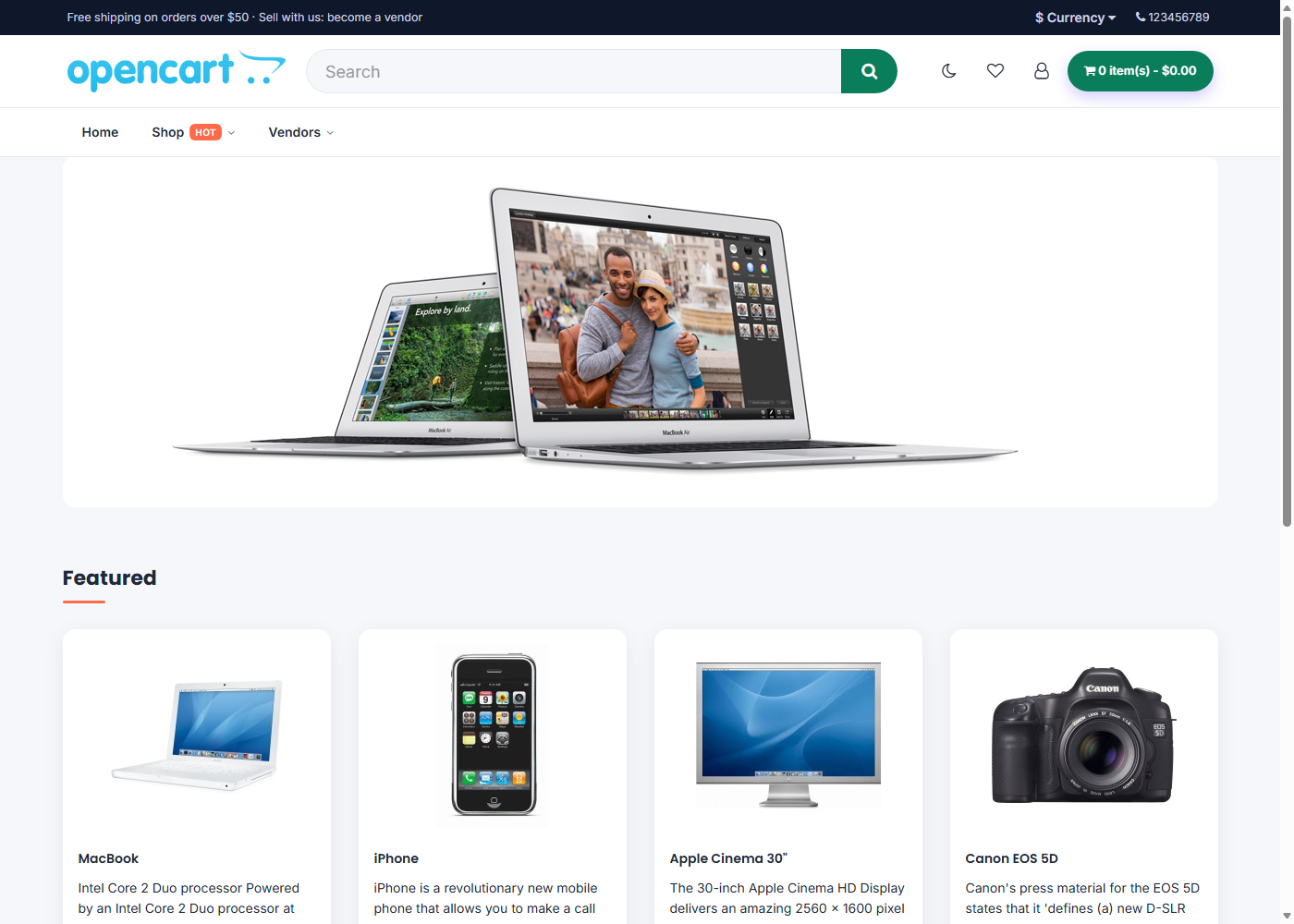 Home page
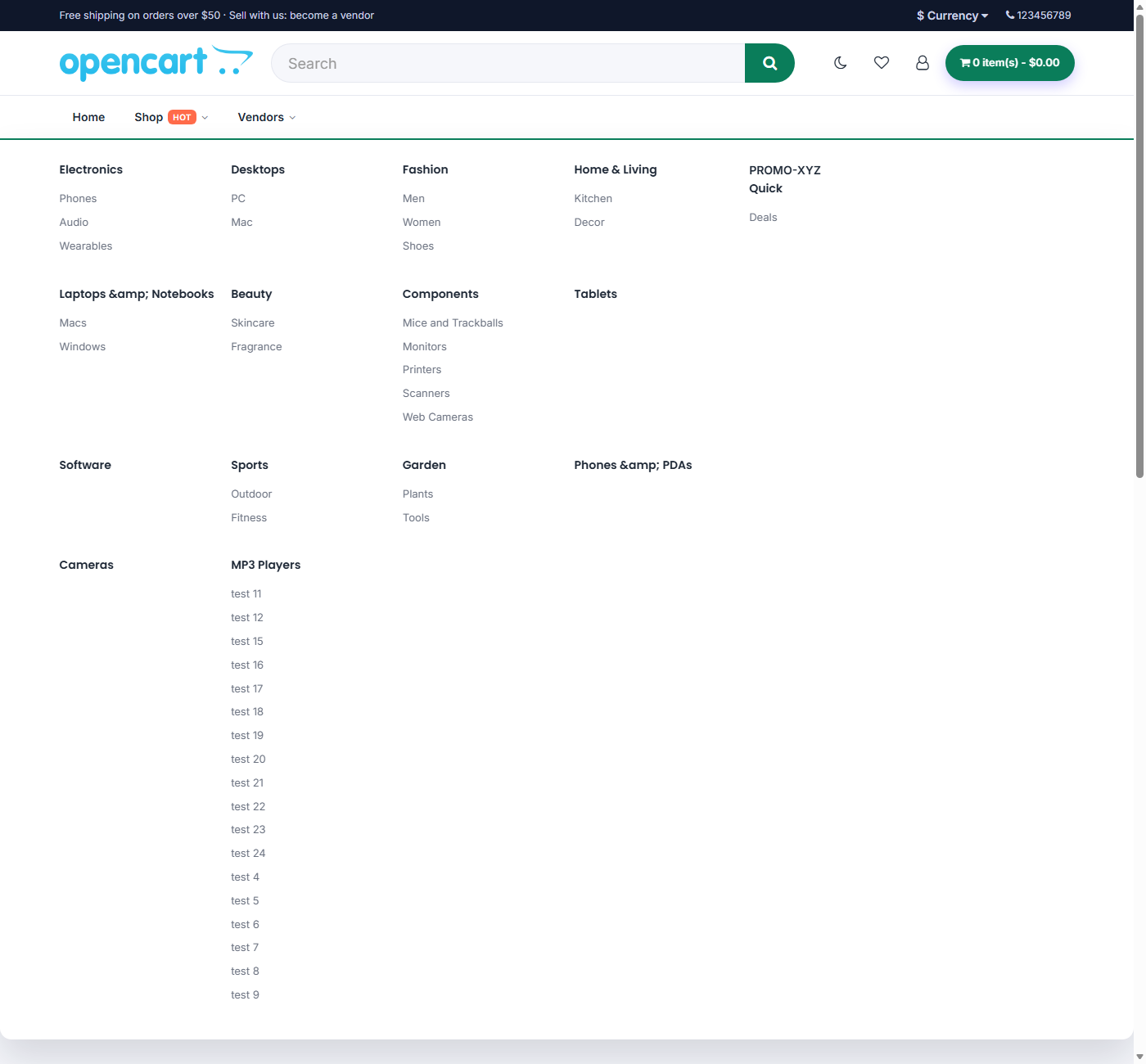 Mega menu
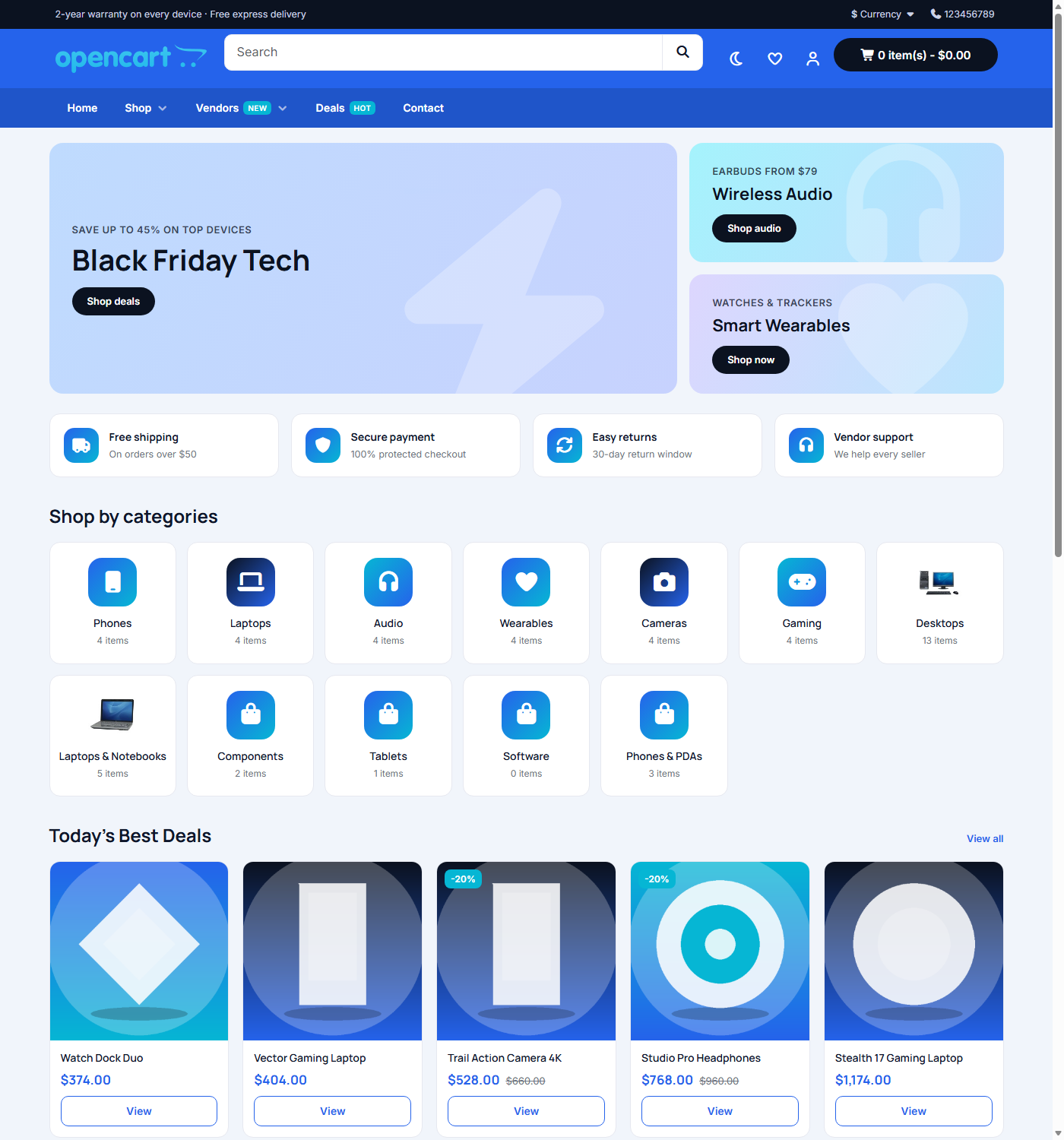 Volt (electronics) preset